Update your Shopify theme and keep your custom code.
Molt carries your changes into each new Dawn or Horizon release, builds it as a draft, and shows you every page before you publish.
free to see what's custom · $49 when you publish an upgrade
- Dawn 14.0.0 to 16.1.1
- Horizon 2.0.3 to 4.4.0
- 446 public Dawn themes merged in testing
- Every upgrade starts as a draft
When a theme release changes the code you customized, someone has to redo that work by hand, and Molt does it for you.
How an upgrade worksWhy Molt?
A crab outgrows its shell, sheds it and keeps everything inside.
Molt is that for your theme. The old release comes off, the new one goes on, and the work you paid for stays.
We do four things
- 1
Read
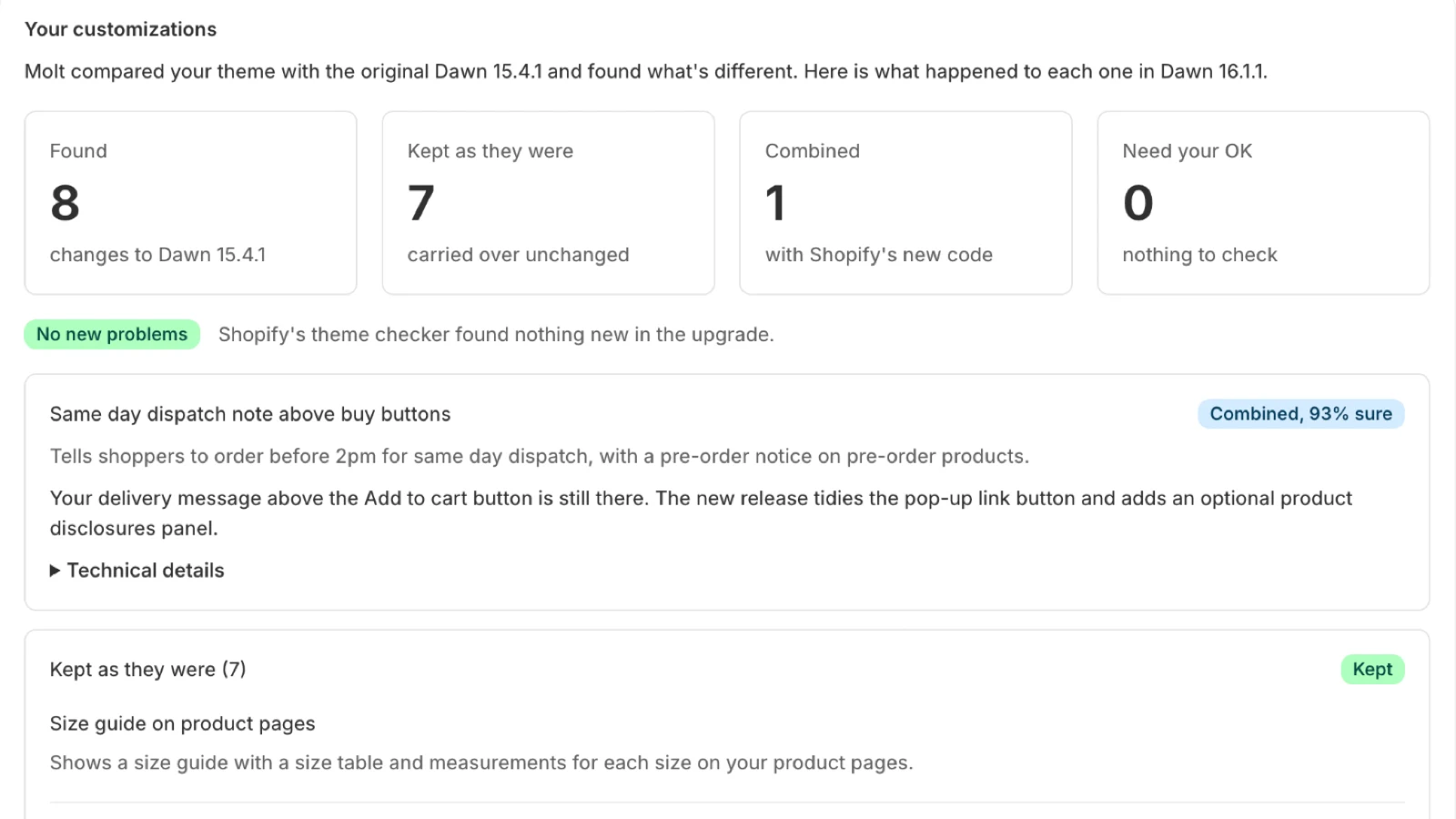
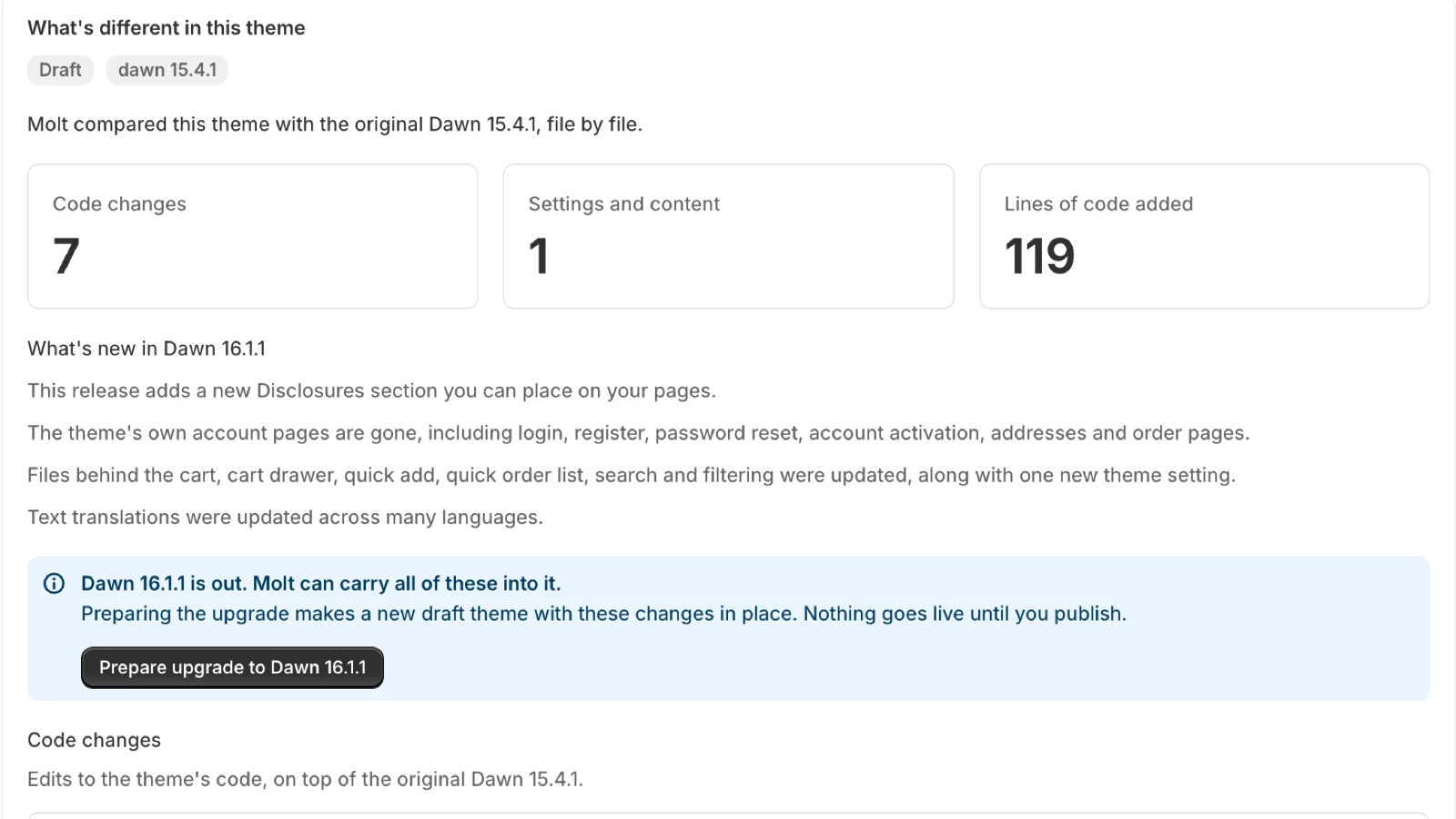
Molt compares your theme with the original release and lists every change in plain words. A size guide reads as a size guide, with the files one click away. This part is free.
- 2
Merge
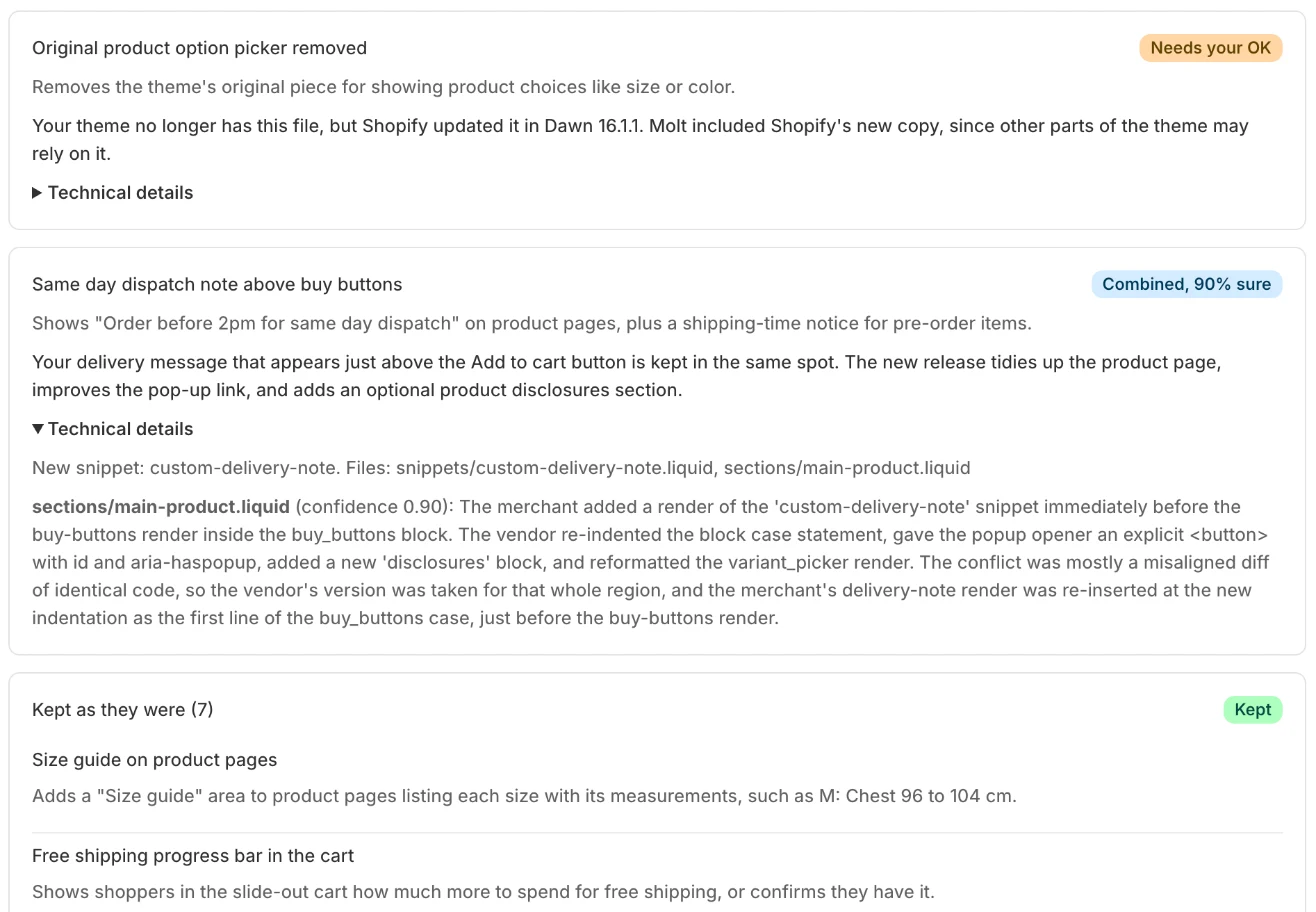
Edits that sit apart from the release merge line by line. When you and Shopify changed the same lines, a model combines them, explains what it did and flags anything a person should check.
- 3
Compare
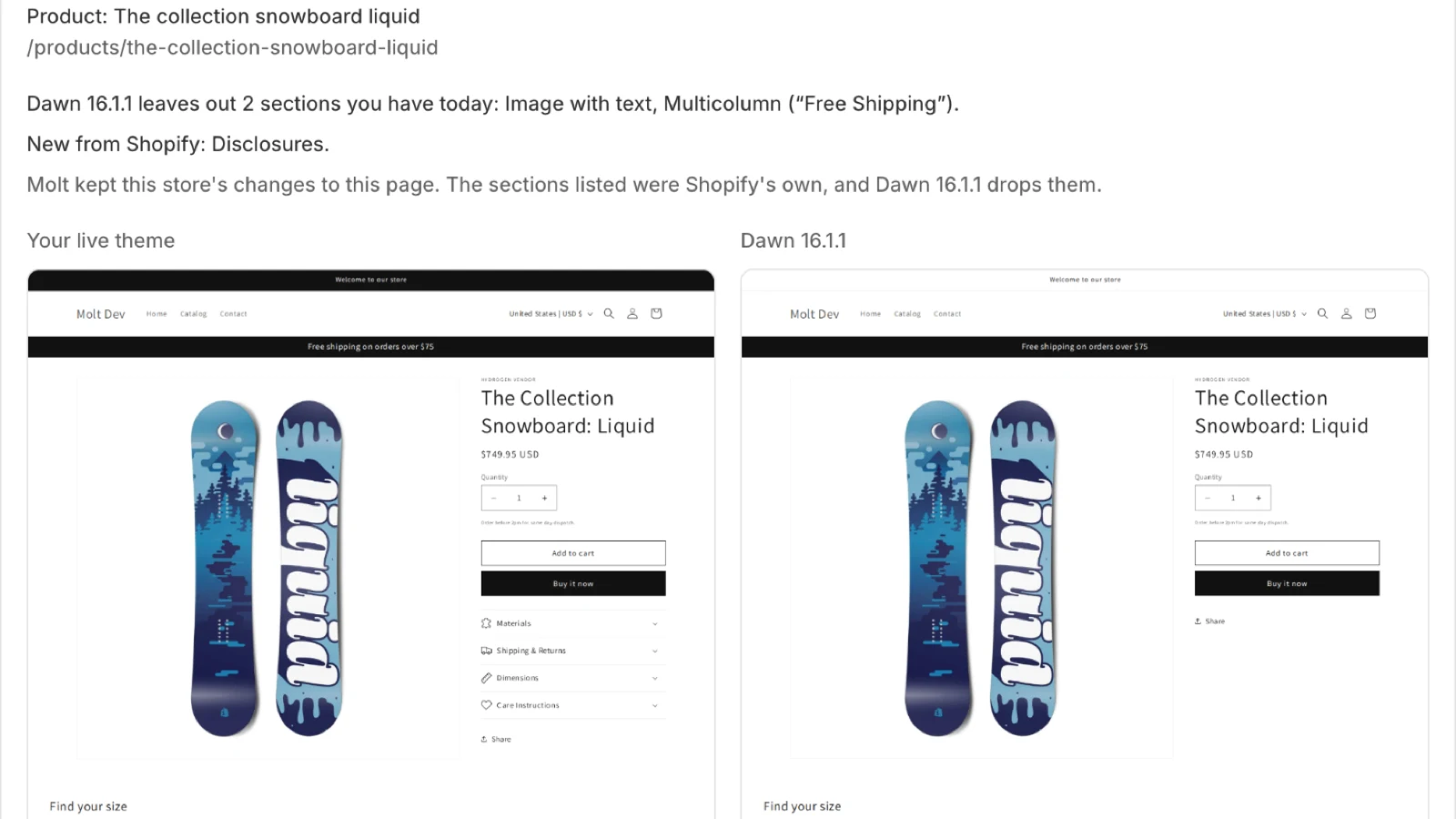
Molt opens your home, collection, product, cart, search and contact pages on both themes and names any section the release leaves out. You can keep your current layout for that page with one click.
- 4
Publish
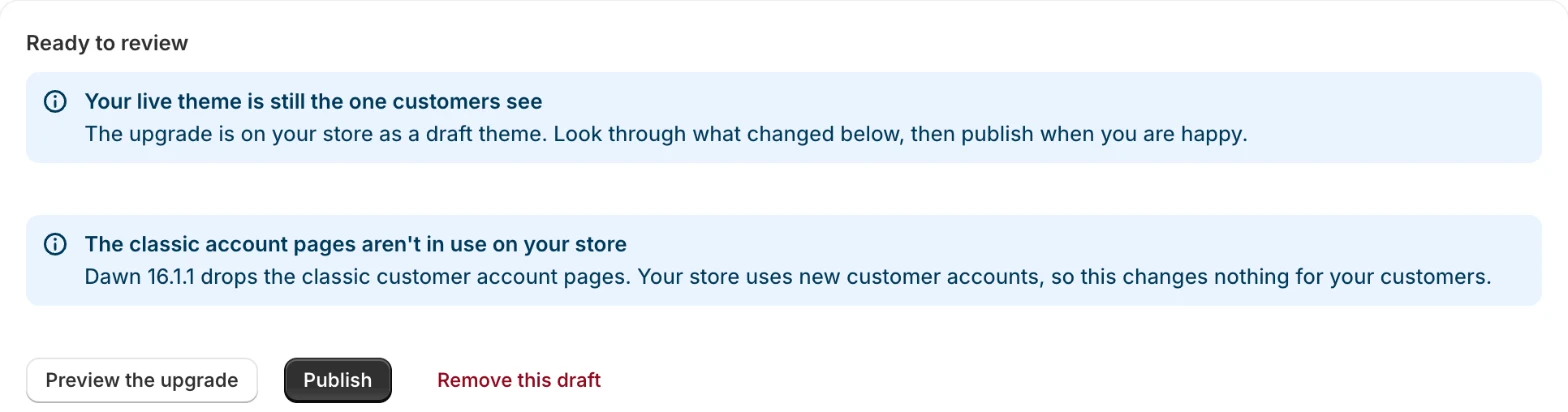
The upgrade waits beside your live theme as a draft until you click Publish. Your previous theme stays on the store, so one more click puts it back.

What one update costs
A developer redoing it by hand
$200 to $600
For a heavily customized theme, each time a release comes out, plus the wait for their schedule.
Molt
$49
Charged when you publish. Preparing the draft and comparing your pages come with it. Upgrading often? One store is $19 a month.
See All PlansDeveloper estimate from Fuel Themes, read November 2026. Your developer's quote may differ.
The same line, changed twice
A store added an attribute to a variant input, and Dawn then rewrote that line. Molt keeps both changes and shows you the result. We merged 446 public Dawn themes this way, and no merchant line was missing in the final pass.
How the Merge Worksvalue="{{ value | escape }}"value="{{ value | escape }}" data-custom-option="{{ value | handleize }}"value="{{ escaped_value }}"value="{{ escaped_value }}" data-custom-option="{{ value | handleize }}"What people ask before they install
What happens to my live theme during an upgrade?
It stays exactly as it is. Molt builds the upgrade as a new draft theme beside it, and your store changes when you click Publish. The previous theme stays on your store, so one click puts it back.
Which themes can Molt upgrade?
Dawn and Horizon, the free themes Shopify makes. Molt compares your theme with a clean copy of the release it started from, and it holds clean copies of Dawn 14.0.0 to 16.1.1 and Horizon 2.0.3 to 4.4.0. Supported themes.
Shopify already offers theme updates. What does Molt add?
Shopify copies your theme editor changes and any code edits that don't conflict with the update. When they conflict, you copy the code across yourself. Molt combines those conflicting edits, lists what it did in plain words, compares your pages and tells you what the release removes. Why themes fall behind.
What if Molt is unsure about an edit?
The upgrade marks it Needs your OK and explains why. You read the reason, preview the page and decide. A developer can open the technical details on the same card to see the files and the explanation behind the merge. Reading the review page.
Let your theme molt
Install Molt and it lists every change on your theme against the original release. Upgrading is a choice you make after that.